Approve/Reject WFH Applications
This guide walks you through the steps of approving/rejecting Work From Home Applications.
Navigate to Work from home in the HRMS Dashboard.
- Select 'Work from home' from the Sidebar.
- This opens the 'Work from home applications listings' page.
Approve/Reject a Work From Home Application
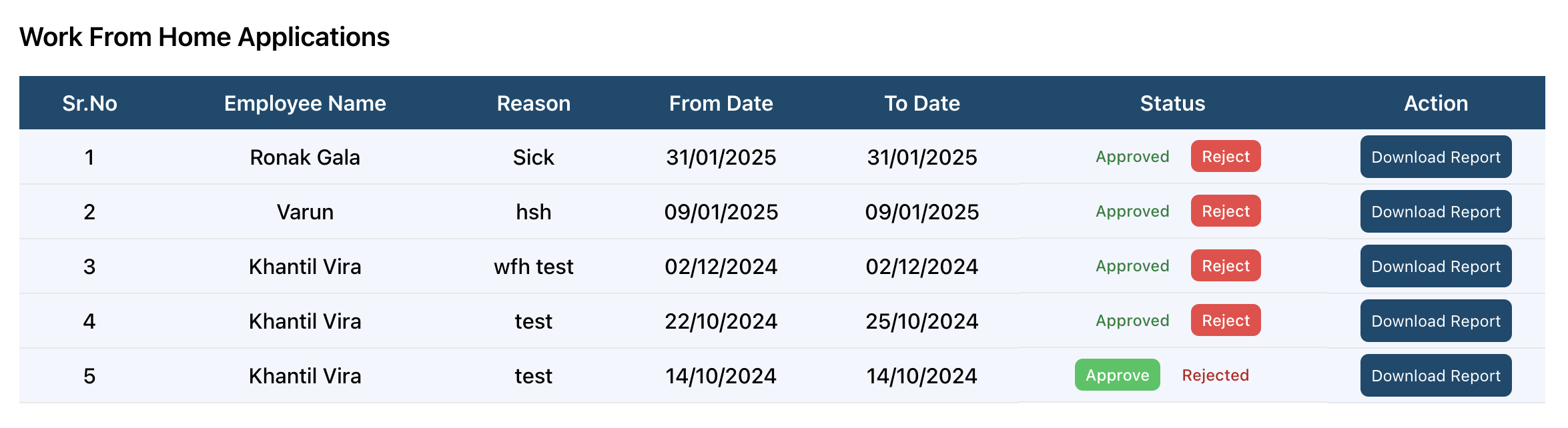
- In the Work From Home Applications listings page, click on the Approve or Reject button under the Status column.
- If you wish to download the report of the application, click on the Download Report under the Action column.