Manage Leave Structure
This guide walks you through the steps of Managing Leave Structure.
Navigate to the Leave Structure page in the Dashboard
- Select 'Company Settings' from the Sidebar.
- Click on the Leave Structure row.
- This opens the Leave Structure page.
How to add a Leave Type
- Click on the Add Leave Type button, in the top right corner.
- This opens a modal where you can enter the details of the leave type.
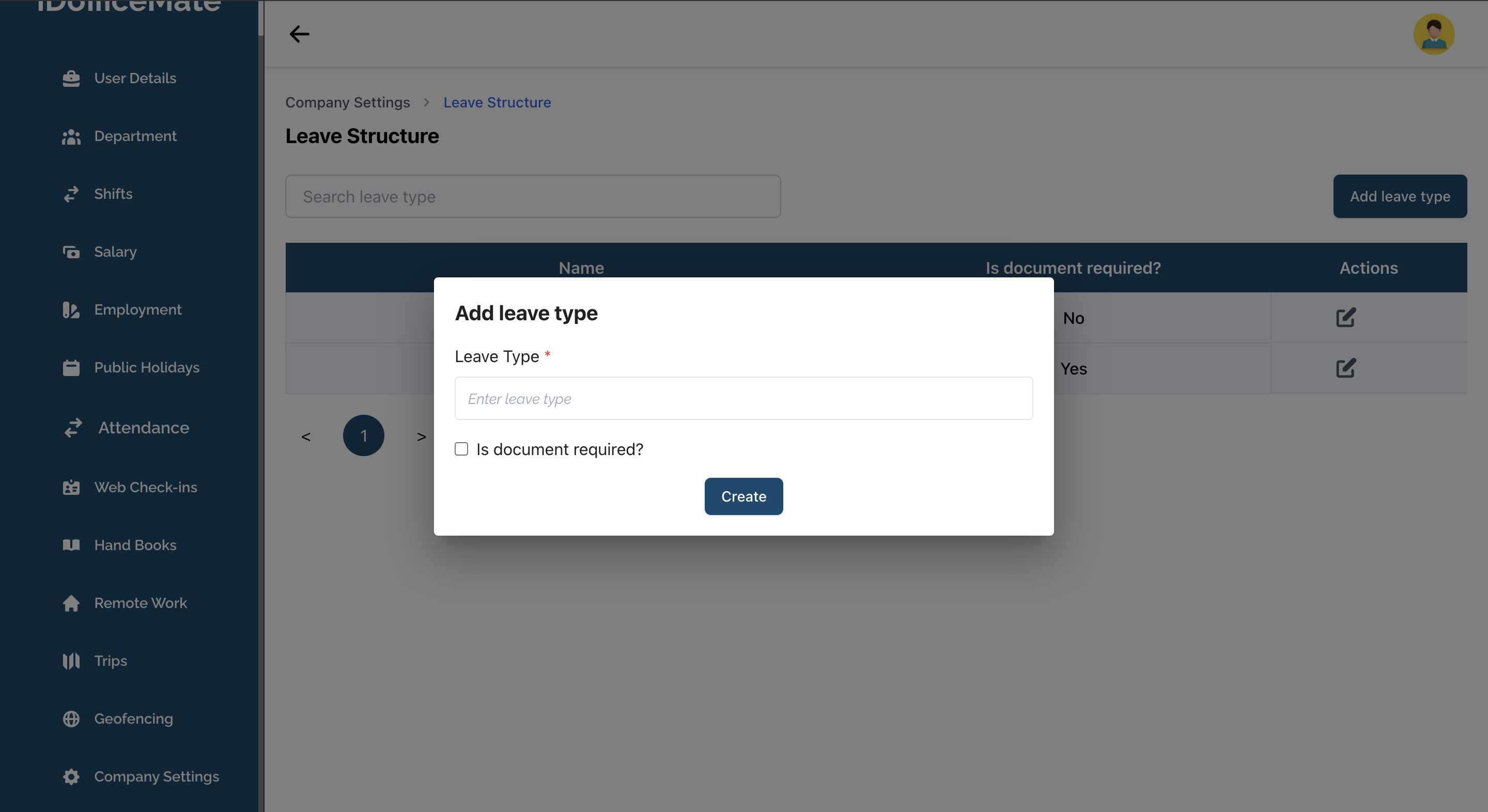
- Fill in the Leave Type Name, and choose whether you wish to make Document Required in order to apply for this leave type by checking/unchecking the Is Document Required? checkbox.
- Lastly, click Create to add the leave type.
How to edit a Leave Type
- Click on the Pencil button on a leave type row.
- This opens a modal pre-filled with the leave type's current details.
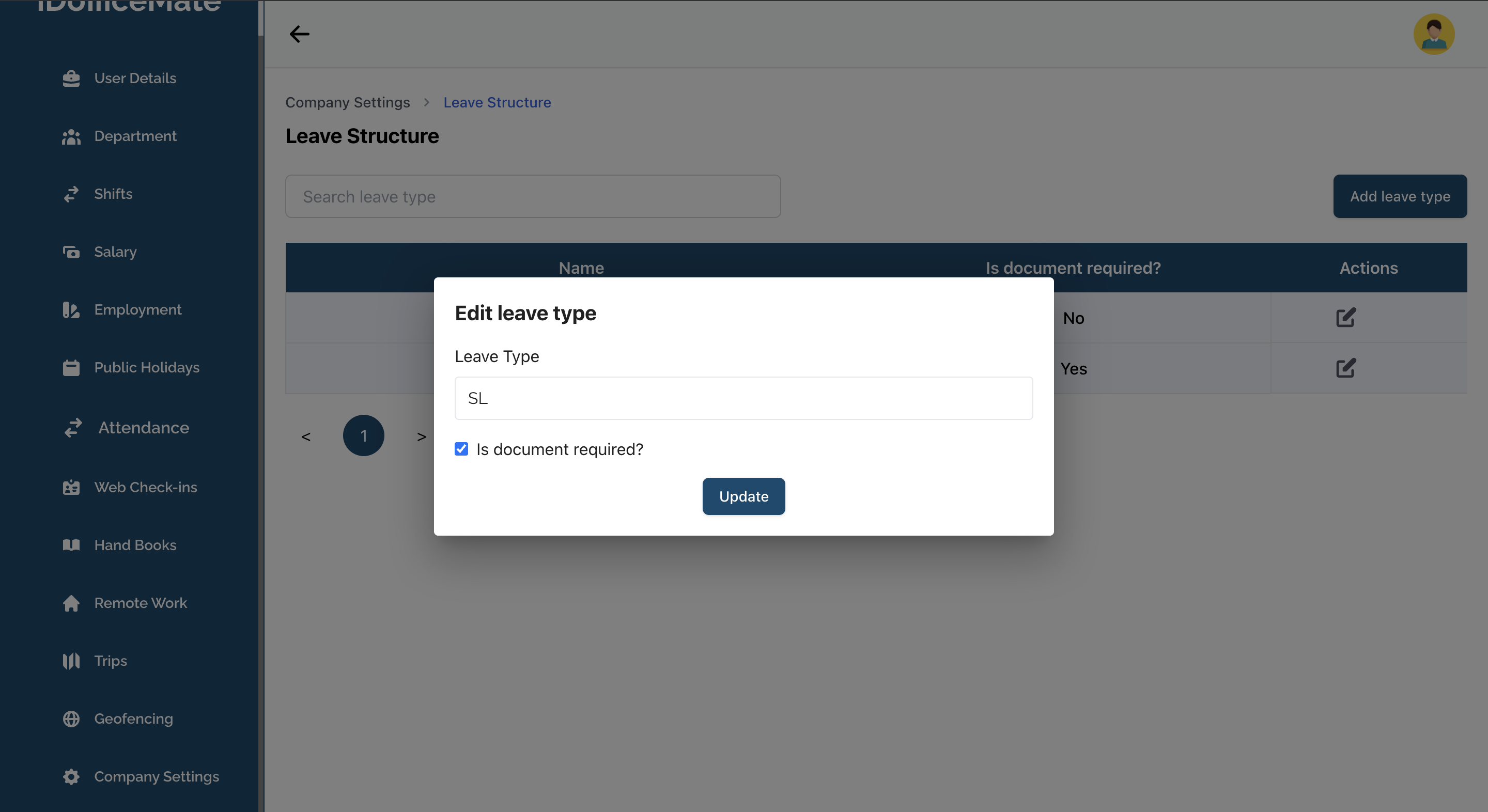
- Make the necessary changes and click Update to update the leave type.