Verify/Reject Leaves
This guide walks you through the steps viewing the list of leaves and verifying or rejecting a leave.
Navigate to Leaves Applied in the HRMS Dashboard.
- Select 'Leaves Applied' from the Sidebar.
- This opens the 'Leaves Applied Listings' page.
Verify/Reject a Leave
- In the Leaves Applied listing page, under the 'Action' column of an 'Applied Leave', click on the 'Eye' icon.
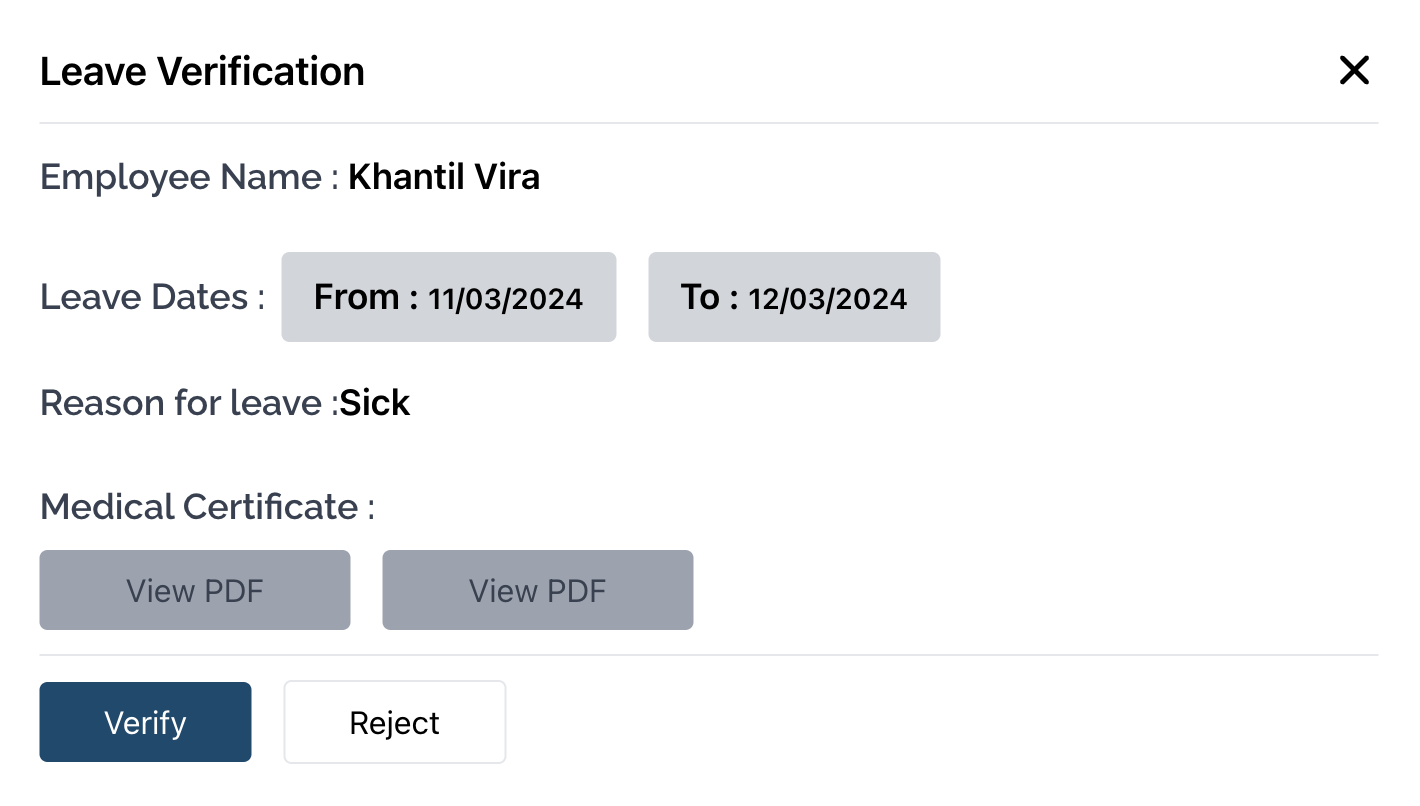
- This opens the modal to verify/reject a leave.
- You will be able to see the leave dates, and the name of the Employee that applied for the leave along with the reason.
- Click on the Verify button to approve the leave, or click on the Reject button to reject the leave and close the modal.