Resign Employee
This guide walks you through the steps of Resigning an Employee.
Navigate to Employee Details page in the Dashboard
- Select 'User Details' from the Sidebar.
- In the 'Current' Employees listing page, click anywhere on an 'Employee' listing.
- This opens the Employee Details page.
Resign an Employee
- Click on the 'Resign Employee' button at the top of the page.
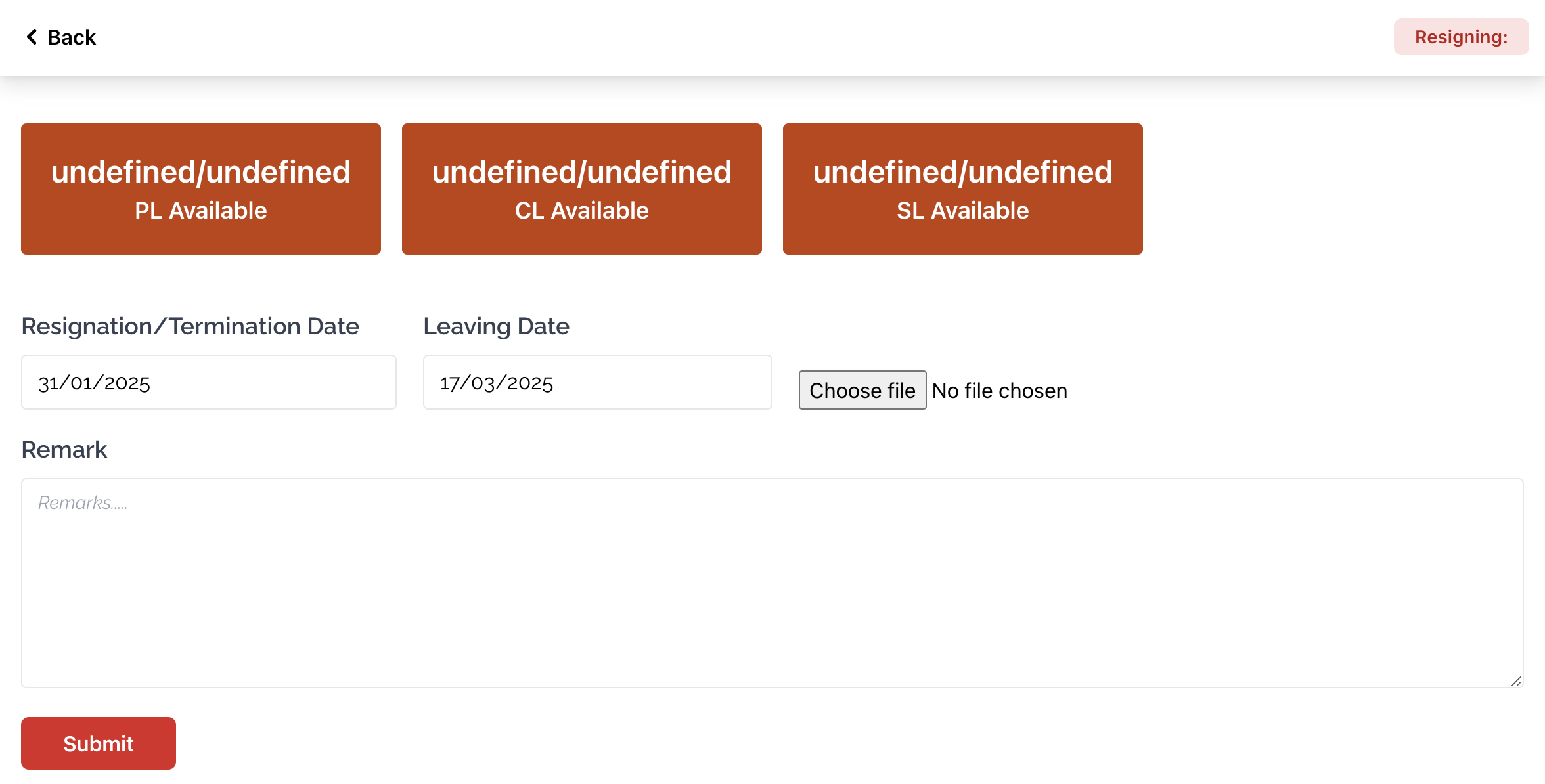
- This opens the 'Resign Employee' page.
- At the top of the page, you will see the amount of available PL , CL and SL that the Employee has.
- Select a Resignation/Termination date.
- Then, select a Leaving date.
- Choose a relevant document to upload by clicking on the Choose file button.
- Write any Remarks relevant to the Resignation/Termination in the input field above the Submit button.
- Finally, click on the Submit button.